


TL;DR
For a small business's first move, a fast website or an installable PWA usually beats a native app on cost, speed, and reach. A native app is an optional later step, not the starting line.
The honest answer to "PWA or native" depends on hardware needs, how iPhone-heavy your audience is, where customers find you, budget, and how often you ship changes.
iOS PWAs got real in March 2023 (iOS 16.4 added web push), and in iOS 26 (2025) every site saved to the Home Screen opens as a web app by default. They still cannot reach Bluetooth, NFC, USB, or reliable background sync on iPhone.
For most owners the real decision is PWA versus cross-platform (React Native or Flutter), not PWA versus two separate native apps. Building two native apps when one would do is the most expensive avoidable mistake.
Zero Dollar Website builds and hosts your done-for-you website for free, so the lowest-cost path on this spectrum is covered before you spend a dollar on an app.
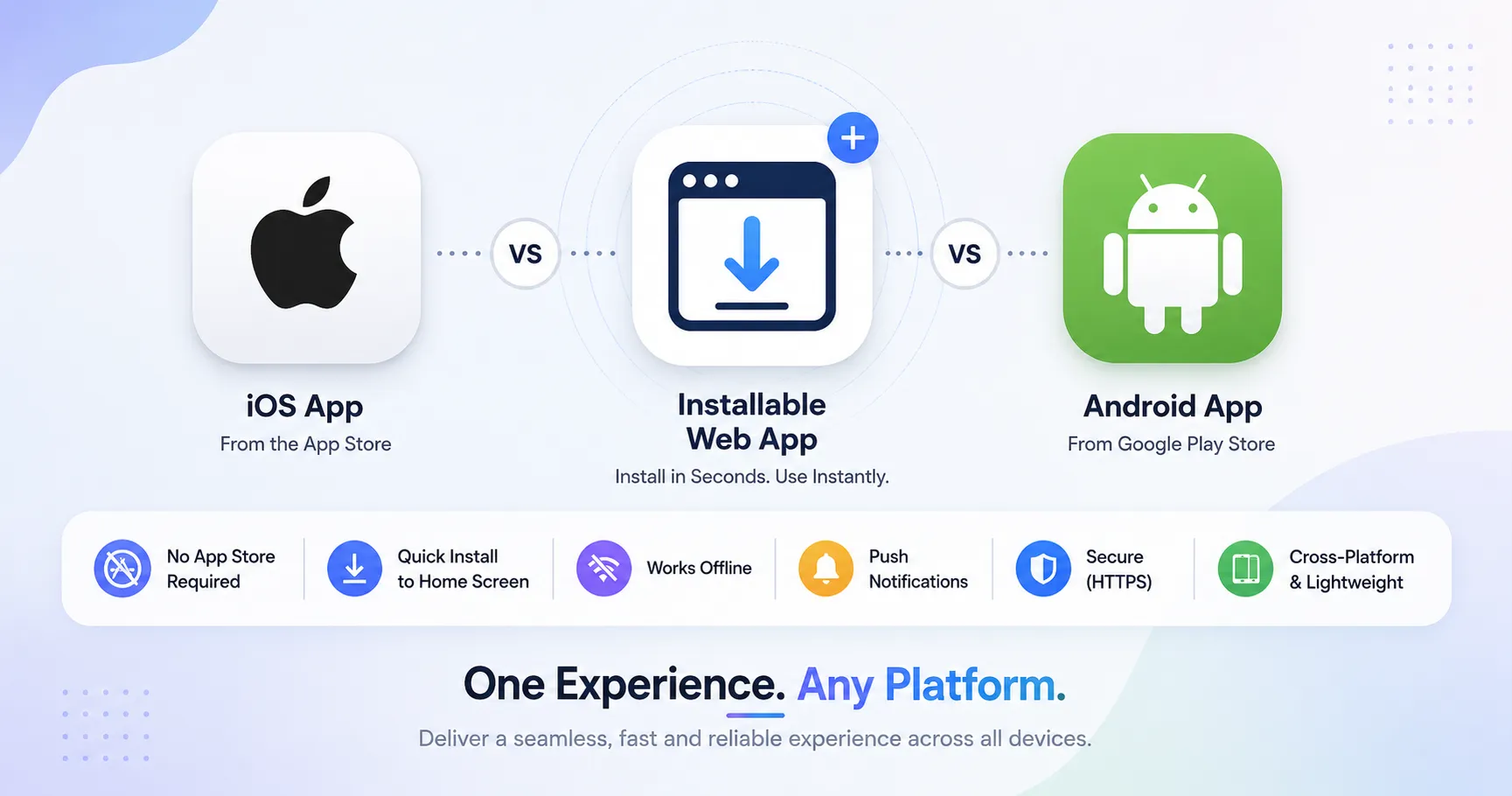
An installable web app icon sitting between an iOS app icon and an Android app icon with feature comparison badges
Most small business owners say "I need an app" when what they really need is something customers can find, open fast, and use without downloading anything. The cheapest, fastest, most discoverable option is usually a website or a PWA, and at Zero Dollar Website that part costs you nothing. We build and host your business website for free, then you decide whether a native app is worth adding later.
The spectrum, in plain language
"PWA versus native" sounds like a coin flip, but it is really a spectrum, and the smartest answer is often in the middle.
A Progressive Web App (PWA) is, per MDN, "an app that's built using web platform technologies, but that provides a user experience like that of a platform-specific app." It runs from one codebase, installs to the home screen, works offline, and plugs into the operating system; MDN puts the technical floor plainly: "all PWAs require at minimum a manifest and a service worker." A service worker, per web.dev, "acts as middleware between your PWA and the servers it interacts with, intercepts the request and acts as a network proxy, even if the user is offline." A native app, by contrast, is built for one operating system using that platform's own tools (Swift for iOS, Kotlin for Android), shipped through the App Store or Google Play, with full hardware access.
Between those ends sit the options where most real decisions land. Cross-platform native (React Native, Flutter) means one codebase compiled into near-native apps that ship through both stores. Hybrid (Capacitor, Ionic) wraps a web app in a native shell with a bridge to device APIs. So the choice is not "which one is best," it is "which one matches what your app has to do and who keeps it running." A free done-for-you website covers the website end on day one; see the standard on our website examples page.
How PWAs work, and the big iOS shift
A PWA stands on three pillars: service workers for offline caching and push, the web app manifest for installability, and HTTPS, which service workers require to register. The most important recent change happened on iPhone. With iOS and iPadOS 16.4 in March 2023, Apple added web push for Home Screen web apps. From Apple's own WebKit blog: "with iOS and iPadOS 16.4, we are adding support for Web Push to Home Screen web apps. The notifications from web apps work exactly like notifications from other apps." The catch: web push only works once the site has been added to the Home Screen, and the prompt must follow a direct tap. The second milestone came with iOS 26 (2025); per Apple's WebKit blog, "By default, every website added to the Home Screen opens as a web app. There are now zero requirements for installability in Safari."
iPhone PWA support keeps improving, but it trails Android, which treats PWAs as first-class with broad hardware access. If your customers skew heavily toward iPhone and your feature list reaches into deep hardware, that gap is the single biggest factor in this decision.
PWA advantages, stated honestly
Lower cost, one codebase. A PWA is typically a fraction of the cost of two native apps. Published figures vary by scope and region, so treat any number as a range. You can size up the free build against optional paid work on our pricing page.
No store approval, fees, or 15 to 30 percent commission, and instant updates that ship the way a website does.
Discoverable and linkable. A PWA is indexed by search engines and shareable with a plain URL, the organic discovery that local SEO is built to amplify.
No install friction and a much smaller storage footprint than a native app.
The classic PWA case studies are old, so read them as historical proof points, not current benchmarks. AliExpress (web.dev case study, last updated 2016) reported it "increases conversion rate for new users by 104%," and Tinder's PWA MVP (Addy Osmani case study, 2017) delivered the core experience "in 10% of the data investment cost" of the native app.
PWA limitations, stated honestly (the iOS list)
The case against a PWA is almost entirely about iPhone.
Limited device features on iOS. As reported by ZDNet on June 28, 2020, Apple's WebKit team "declined to implement 16 new web technologies (Web APIs) in Safari because they posed a threat to user privacy by opening new avenues for user fingerprinting." That blocked list includes Web Bluetooth, Web NFC, WebUSB, and Web Serial, so a PWA on iPhone cannot reach Bluetooth peripherals, NFC tags, or USB accessories.
iOS background and storage limits. No reliable background sync, so a PWA shows whatever it cached last. Per WebKit documentation, "the current Cache API quota is set to a fixed value of 50 MB per partition" on iOS, and Safari may evict data after disuse.
Manual install on iOS. No automatic prompt; users have to use Share, then Add to Home Screen, which most will not find without clear guidance in your interface.
No App Store listing, which cuts off store search as a discovery channel, plus narrower push than Android and a performance ceiling for graphics-heavy apps.
Native app advantages and disadvantages
Native earns its higher price when the job calls for it: the best performance, full hardware access (camera, Bluetooth, NFC, biometrics, sensors, AR, background services), the most platform-native feel, a store presence that brings discovery and credibility, reliable rich push, and built-in store billing. The downsides are mostly money, time, and upkeep:
Higher cost and slower time to market. Two codebases or one cross-platform build, two QA passes, two store submissions, and every release goes through review. Two separate native apps is the priciest route of all.
Store commissions. The standard rate is 30 percent, with 15 percent available to small developers (under $1M per year) through Apple's App Store Small Business Program and Google Play's reduced tier. A December 11, 2025 Ninth Circuit ruling (Epic v. Apple, No. 25-2935) held that "the district court used blunt force to ban all commissions, abusing its discretion," and Apple sought Supreme Court review in 2026, so verify the current rate before you build a model on it.
High uninstall and churn. Per AppsFlyer's App Uninstall Benchmarks Report (2025 edition), "more than 1 in every 2 apps that are installed are uninstalled within 30 days of being downloaded" (Android only; iOS tracking is limited after iOS 15).
Ongoing maintenance across OS versions and fragmented devices.
Cross-platform: the middle path most owners should weigh
For many small businesses the real fork is PWA versus cross-platform, not PWA versus two native apps. React Native and Flutter deliver a near-native experience and a store presence from one codebase, at a lower cost than dual native (industry estimates often cite 30 to 50 percent savings against separate native builds, so treat those as ranges). Flutter leads on UI consistency and animation, while React Native wins on talent availability and code sharing with the web.
The tradeoffs still apply. Cross-platform can lag for graphics-heavy or deeply hardware-integrated apps, and you still ship through the stores. If your roadmap leans on advanced AR, low-level Bluetooth, or hardware accessory integrations, fully native is the safer bet. Otherwise cross-platform is the sensible default, and it can follow a free website once demand is proven.
Head-to-head at a glance
The cost and time labels below are relative, not quotes. Real numbers vary widely by scope, region, and team, so use this as a decision starter.
Dimension | PWA | Cross-platform (RN/Flutter) | Fully native (iOS + Android) |
|---|---|---|---|
Development cost | Lowest | Mid | Highest |
Time to market | Fastest | Fast | Slowest |
Performance | Good for content and commerce | Near-native | Best |
Device feature access | Limited, especially iOS | Broad | Full |
App store presence | No (web discovery instead) | Yes | Yes |
Updates | Instant | Via store review | Via store review |
SEO and web discoverability | Strongest | Weak | Weakest |
Ideal use cases | Content, commerce, service portals, broad reach | Most consumer apps that need store presence | Games, AR, hardware-heavy, performance-critical |
A decision framework that actually works
Lean PWA when reach and discoverability matter, the budget is tight, you need fast iteration, and your features do not require deep native hardware. That covers most small businesses, which is why the free done-for-you website meets the most common need before any app spend. Lean native or cross-platform when you need deep device features (Bluetooth, NFC, AR, biometrics), top performance, a strong store presence, reliable rich push, or store-based in-app purchases as your core model.
Run both on purpose, not by accident. Shipping a PWA first to validate demand, then building native to scale, is a coherent plan, as is running a native app for power users alongside a PWA for reach and SEO. What is not coherent is shipping two fully separate native apps when one cross-platform build or a PWA would have done the job.
A short checklist before you commit: Do you need Bluetooth, NFC, biometrics, or AR (if yes on iPhone, a PWA is a non-starter)? Is your audience iPhone-heavy and dependent on background updates? Do you rely on store search to get found? What is your realistic budget before product-market fit? If your "app" is really a business tool you are still proving out, ship the lightest version first. We cover that logic in our guide on how to validate a business app idea before building it.
Common myths, corrected
"PWAs can't do push on iPhone." Out of date. They can since iOS 16.4 in March 2023, with the Home Screen install caveat.
"Native is always faster and better." Not always worth the cost for content, commerce, and service apps. A well-built PWA can outperform a poorly built native app on the metrics that matter for those use cases.
"You have to be in the app store." It depends on where your customers look for new tools. Businesses driven by web discovery often do not need it.
"Cross-platform always means worse performance." Modern React Native and Flutter close most of the gap for typical consumer apps; it is only real for games and AR.
Start light, pay for native only when the job truly requires it, and revisit annually as iOS capabilities and store economics keep moving. Once you are ready to grow, paid marketing and local SEO do the amplifying and Concierge keeps it current, with real outcomes in our case studies. If you prefer a fully managed plan with site and growth work bundled, the older subscription model still lives on our agency page.
Key takeaways
Treat PWA, cross-platform, and native as a spectrum. The right answer turns on hardware needs, audience platform mix, discovery channel, budget, and iteration speed.
For a first move, a fast website or PWA usually wins on cost, speed, and reach. Native is an optional later step.
iOS PWAs got real in March 2023 (push) and became the default for Home Screen installs in iOS 26 (2025), but still lack Bluetooth, NFC, USB, and reliable background sync.
Two separate native apps is the most expensive avoidable mistake; for most owners the real choice is PWA versus cross-platform.
Store commission rules and Epic v. Apple are still in motion, so verify the current rate before basing a model on it.
FAQ
Should a small business build a website, a PWA, or a native app first?
The first move should usually be a fast website, optionally with a PWA layer. It is the cheapest and most discoverable option and needs no app store approval. A native app makes sense once you have proven demand and hit a feature you cannot deliver on the web. At Zero Dollar Website the website is free to build and host, so starting light costs you nothing.
Can PWAs send push notifications on iPhone?
Yes, since iOS 16.4 in March 2023, but only when the site has been added to the Home Screen and the prompt follows a direct tap. Web push does not work for sites left in a Safari tab.
Are PWAs as fast as native apps?
For content, commerce, and service apps, a well-built PWA can match or beat a poorly built native app on load time and smoothness. For graphics-heavy or compute-heavy apps such as games, AR, or video editing, native still wins.
Should I build a PWA or a React Native app?
Default to a PWA if you do not need a store presence or deep device hardware and want fast iteration and SEO. Default to React Native or Flutter if you need to be in the stores, want a native feel, and can absorb the higher build and review cost. If you are unsure, ship the PWA first.
Do PWAs work offline on iPhone?
Yes, within limits. Service workers cache assets and respond when the network is down. On iOS the Cache API quota is capped at 50 MB per partition, and Safari may evict data after disuse, so plan your offline strategy around those caps.
How much cheaper is a PWA than two native apps?
Materially cheaper, though the exact number depends on scope, region, and team. Industry estimates often place a PWA at a fraction of dual-native cost, so treat any figure as a range. With us the website portion is free, which removes the largest chunk of early cost.
Will Apple ever close the gap with Android on PWAs?
The trajectory points that way, slowly. iOS 16.4 added push and iOS 26 made web apps the default for Home Screen installs, but the big API gaps (Web Bluetooth, NFC, USB, Web Serial) remain, mostly cited as privacy concerns. Re-evaluate annually rather than betting on a specific Apple roadmap.
Does Zero Dollar Website build native apps too?
The free build covers your website. Apps are an optional paid step we help you scope only when the job genuinely needs one, so you are never steered toward an expensive native build when a website or PWA would serve. Compare the free site against optional paid services on our pricing page, and browse more guidance on the blog.
Ready to scope the right path?
Most owners reach for a native app because that is what "a real app" sounds like, when a website or PWA would do the job for a fraction of the cost. Start with the lightest thing that works, prove the demand, and add native only when a feature forces your hand. Get your free done-for-you website first, then compare it against optional SEO, marketing, and app work on our pricing page. A fast, findable site is the right first move for almost every small business.